Excellent contextual menu add-on for Finder
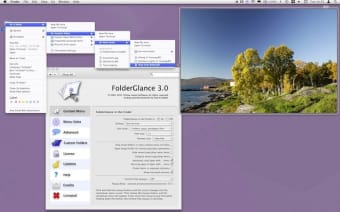
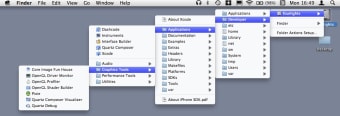
If you want to see more from Finder's contextual menus, then FolderGlance allows you to see what is inside your folders just by right clicking on your desktop.
Top Recommended Alternative

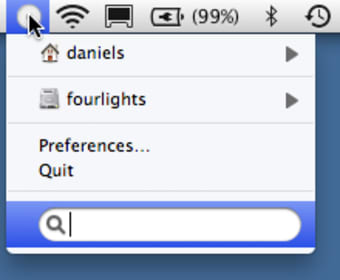
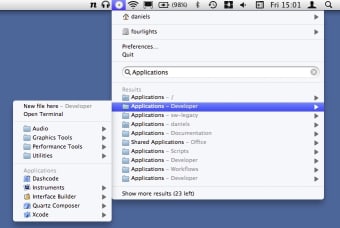
In addition, you can drill down to the contents of sub-folders and even add your own folders using FolderGlance. A menu-hover function allows you to preview files in a folder simply by holding your mouse over them and most recently, FolderGlance has been updated (free to users of version 2.5+) to allow access of your files and folders directly from your Menu Bar.
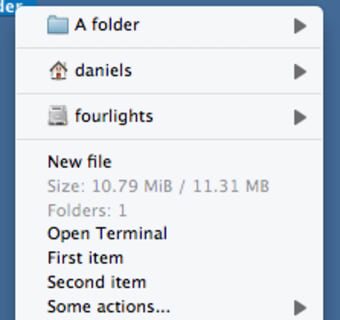
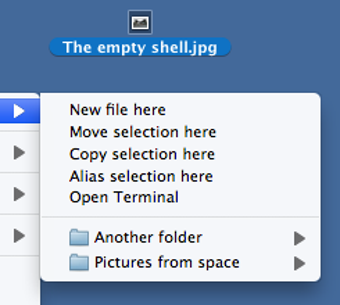
One of the most useful features of FolderGlance is the ability to edit contextual menus. So for example, instead of getting lots of useless 'Open With...' options, you can ensure that just one application that you regularly use is offered. The other major benefit is that moving files between folders - especially deeply buried folders - is so much easier with Folder Glance than having lots of Finder windows open.
FolderGlance is a powerful addition to Finder that will enhance the way you manage files and use your contextual menu.
Changes
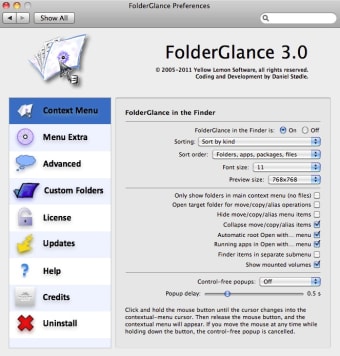
This is a major upgrade of FolderGlance. The new version is free of charge to licensed users of FolderGlance 2.5 and later. Version 3.0 introduces the following new features: Adds a menu extra that gives you access to FolderGlance from your menubar. The menu extra shows custom folders and volumes by default, and lets you search for files and folders using Spotlight and then browse the results from the menu. Adds support for user-defined scripts Includes Disk usage and Open Terminal scripts Fully revamped preference pane Add ability to sort items by modification date Maximum Hover Preview size increased to 1024x1024 Adds Uninstall functionality in FolderGlance's preference pane